
If a business signs up themselves for a listing, they will automatically be prompted to create an account so they can access their listing themselves. However, if you manually create a listing for them, you will need to set them up as a "Listing User" if you want to allow them to make changes or updates to their business listing profile. Here's how:
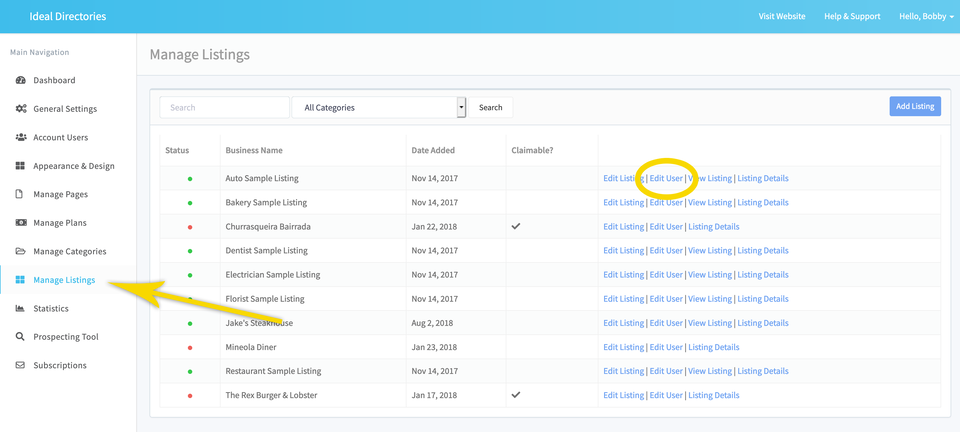
STEP 1 - Click on "Edit User" from Manage Listings Screen
From the Manage Listings screen of your Dashboard, click on the option to "Edit User" for the business you want to grant access to.
STEP 2 - Create their Account
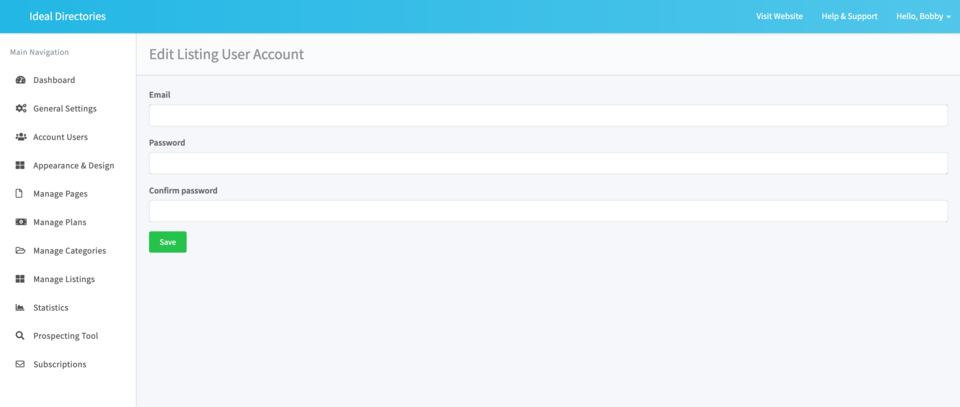
Enter the business owner's email address and create a password for them. (Don't worry - they can always change this password themselves later). Be sure to pass on these login credentials to the business owner.
STEP 3 - Logging into their Account
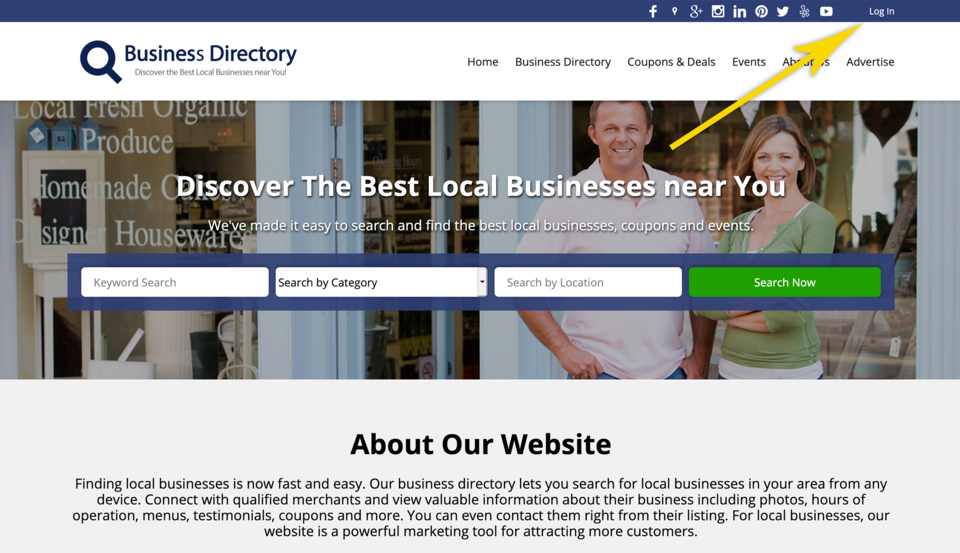
As a listing owner, the business can login to their account by clicking on the "Login" link on the top right or bottom right of your directory website.
Comments
0 comments
Article is closed for comments.